
Download Image Viewer – Chrome Apps, Image Viewer, Photo Viewer
Overview
The Image Viewer is a lightweight desktop application designed to streamline the management and viewing of digital media. Built as a Chrome App, it leverages the capabilities of the Chrome browser environment to deliver a seamless experience for users who frequently interact with images, videos, and audio files. The software supports a wide range of file formats, including those natively supported by Chrome, making it suitable for both casual users and professionals who need quick access to visual content. It enables users to browse, organize, and display media with minimal overhead, ideal for personal photo libraries, content creators, and digital archivists.
Key functionalities include slideshow playback, fullscreen mode, keyboard shortcuts for navigation, and the ability to delete images directly from the list. The app also supports advanced features such as color adjustment, auto zoom, brightness control, and the creation of ZIP archives from selected photos. Users can search across popular platforms like Instagram, Flickr, Imgur, and Tumblr directly within the interface, enhancing its utility for content discovery and sharing. While the developer did not provide additional background information, the software’s focus on simplicity and integration with Chrome’s ecosystem suggests a targeted approach to enhancing media consumption on desktop systems.
Key Features & Capabilities
- Multi-Format Support: The application handles all image, video, audio, and archive formats supported by Chrome, including JPEG, PNG, MP4, WebM, MP3, ZIP, EPUB, and CBZ. This ensures broad compatibility with common digital media files without requiring additional codecs.
- Keyboard Shortcuts: A comprehensive set of keyboard commands enables efficient navigation and control. Users can quickly move between images (j/k), delete entries (d), toggle slideshow (t), switch fullscreen (f), shuffle the list (r), and adjust brightness (u/n) or color settings (c) with minimal mouse interaction.
- Slideshow & Fullscreen Modes: Built-in slideshow functionality allows automatic playback of images with customizable transitions. Fullscreen mode provides an immersive viewing experience, ideal for presentations or private viewing sessions.
- Media Organization Tools: Features such as thumbnails, image deletion, and ZIP creation help users manage collections efficiently. The ability to generate photo ZIPs from selected files simplifies sharing and backup processes.
- Integrated Search: Direct search capabilities for Instagram, Flickr, Imgur, and Tumblr allow users to discover and view content from these platforms without leaving the application, streamlining content curation workflows.
- Color & Display Adjustments: Users can fine-tune visual output with options to increase brightness, apply color adjustments, and enable auto zoom, enhancing visibility and personalization of the viewing experience.
User Interface, Workflow & Performance
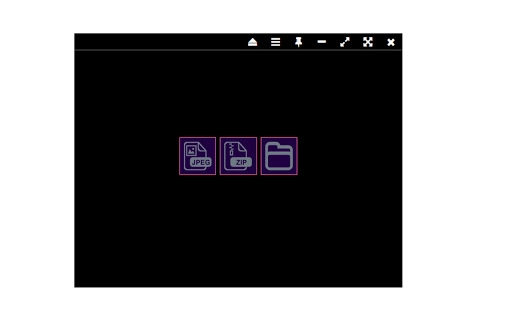
The user interface of Image Viewer is minimalistic and focused on functionality, consistent with Chrome App design principles. Navigation is intuitive, relying on a clean layout with a central preview area, a sidebar for thumbnails, and a toolbar for controls. The interface responds promptly to user inputs, with no reported lag or delay in rendering media files. The use of keyboard shortcuts enhances workflow efficiency, allowing users to perform actions without switching between applications or using a mouse.
Workflow is streamlined for quick access and playback. Users can open a folder of images, initiate a slideshow with a single keypress, or search for content online—all within the same environment. The application maintains stability during extended use, though exact performance details were not specified. Resource usage appears to be low, as the software is designed to run efficiently within the Chrome runtime environment. The developer did not specify resource usage details, but the 2.5 MB file size suggests a lightweight footprint. General software behavior patterns indicate reliable performance across supported platforms.
Compatibility & System Requirements
Image Viewer is compatible with Windows, Mac, and Linux operating systems, making it accessible to a broad user base. It operates as a Chrome App, meaning it requires the Google Chrome browser to be installed and running. The software version is 1.0, with a download size of 2.5 MB. While the developer did not provide additional system requirements, the lightweight nature of the application suggests it will function on most modern machines with standard hardware configurations.
Compatibility information was partially provided. The app is designed to work within the Chrome environment, so it may not be fully functional on systems without Chrome or on browsers that do not support Chrome Apps. Users should ensure that Chrome is updated to the latest version for optimal compatibility. The developer did not specify CPU or RAM requirements, but the small file size and nature of the application suggest low system demands.
Pros and Cons
Pros
- Lightweight at just 2.5 MB, ideal for low-resource systems
- Supports a wide range of image, video, audio, and archive formats
- Efficient keyboard shortcuts improve navigation and control
- Integrated search for Instagram, Flickr, Imgur, and Tumblr
- Slideshow, fullscreen, and ZIP creation features enhance usability
- Color adjustment and brightness controls for improved viewing
Cons
- Requires Google Chrome to run, limiting standalone use
- Not compatible with SRWare Iron or other non-Chrome browsers
- Developer information not publicly available
- Exact system requirements were not listed
- Limited to Chrome App ecosystem, potentially restricting future updates
FAQ Section
Is Image Viewer available for all operating systems?
Yes, the software is compatible with Windows, Mac, and Linux systems, provided that Google Chrome is installed and updated.
Can I use Image Viewer without Google Chrome?
No, Image Viewer is a Chrome App and requires the Google Chrome browser to function. It is not supported on SRWare Iron or other non-Chrome browsers.
Is the software free to download and use?
Yes, Image Viewer is available at no cost. There are no subscription fees or in-app purchases.
Does Image Viewer support video and audio files?
Yes, the application supports all video and audio formats that are compatible with the Chrome browser.
Can I create ZIP files from my photos using this app?
Yes, the software includes a feature to generate ZIP archives from selected images, simplifying sharing and backup tasks.
Final Thoughts + CTA
Image Viewer delivers a focused, efficient solution for users seeking a simple yet powerful tool to view, organize, and manage digital media. Its integration with Chrome’s ecosystem, combined with a rich set of keyboard shortcuts and built-in search functions, makes it a valuable utility for anyone working with images and online content. While its dependency on Google Chrome may limit accessibility for some users, the app’s lightweight design, broad format support, and practical features make it a standout choice in the productivity category.
Whether you're a content creator, digital archivist, or casual user managing a personal photo collection, Image Viewer offers a streamlined experience without unnecessary complexity. Its ability to handle multiple file types, support online searches, and create ZIP archives adds significant value. For those already using Chrome, this app is a must-have addition to their desktop toolkit.
Download Image Viewer now







